Windows Provider Suitefor Windows
Why choose Windows Provider Suite for Windows
Optimized for the best performance on your Windows PC
Windows Optimized
Native support for Windows 10 and 11 with enhanced performance and stability
High Performance
Optimized for NVIDIA and AMD GPUs with maximum efficiency
Secure & Private
End-to-end encryption with complete control over your resources and data
Easy Setup
Install and start contributing to the network in under 5 minutes
System Requirements
Make sure your Windows PC meets these minimum requirements
- Operating System: Windows 10 (64-bit) or Windows 11
- Processor: Intel Core i7 / AMD Ryzen 7 or higher
- Graphics Card: NVIDIA GTX 2060 / AMD RX 6600 or higher
- Memory: 16 GB RAM minimum
- Storage: 500 MB available space
- Network: Broadband internet connection
Installation Guide
Get started in just a few simple steps
- Download the OpenGPU Provider Suite installer from the link below
- Once the download is complete, locate the downloaded file in your Downloads folder
- Run the OpenGPU-Provider-Suite-Setup.exe file as administrator
- Follow the on-screen instructions to complete the installation process
- Once the installation is complete, you can start using the OpenGPU Provider Suite to monitor and manage your GPU resources
Video Installation Guide
Watch our step-by-step video tutorial to learn how to install and set up the OpenGPU Provider Suite on your Windows PC
Start Contributing Today
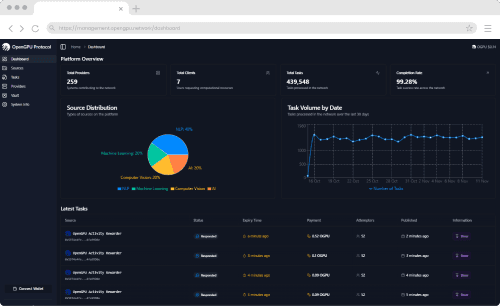
Once installed, you can immediately start contributing your Windows PC's GPU power to the OGPU Network and earn rewards. Our intuitive dashboard makes it easy to monitor your earnings, manage your resources, and optimize your contribution.
Need Help Getting Started?
Visit our comprehensive documentation and guides to learn more about OGPU Network, how to optimize your setup, and maximize your earnings.