MacOS Provider Suitefor macOS
Why choose MacOS Provider Suite for macOS
Optimized for the best performance on your Mac
Apple Silicon Optimized
Native support for M1, M2, and M3 chips with enhanced performance and energy efficiency
Low Resource Usage
Runs efficiently in the background without impacting your workflow or system performance
Secure & Private
End-to-end encryption with complete control over your resources and data
Easy Setup
Install and start contributing to the network in under 5 minutes
System Requirements
Make sure your Mac meets these minimum requirements
- Operating System: macOS 11.0 (Big Sur) or later
- Processor: Apple Silicon (M1/M2/M3) or Intel Core i5 or higher
- Memory: 8 GB RAM minimum, 16 GB recommended
- Storage: 200 MB available space
- Network: Broadband internet connection
Installation Guide
Get started in just a few simple steps
- Download the OpenGPU Provider Suite installer from the link below
- Once the download is complete, locate the downloaded file in your Downloads folder
- Open the extracted folder and run the OpenGPU-Provider-Suite.pkg file
- Follow the on-screen instructions to complete the installation process
- Once the installation is complete, you can start using the OpenGPU Provider Suite to monitor and manage your GPU resources
Video Installation Guide
Watch our step-by-step video tutorial to learn how to install and set up the OpenGPU Provider Suite on your Mac
Start Contributing Today
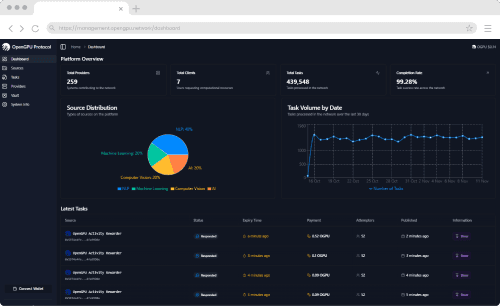
Once installed, you can immediately start contributing your Mac's GPU power to the OGPU Network and earn rewards. Our intuitive dashboard makes it easy to monitor your earnings, manage your resources, and optimize your contribution.
Need Help Getting Started?
Visit our comprehensive documentation and guides to learn more about OGPU Network, how to optimize your setup, and maximize your earnings.